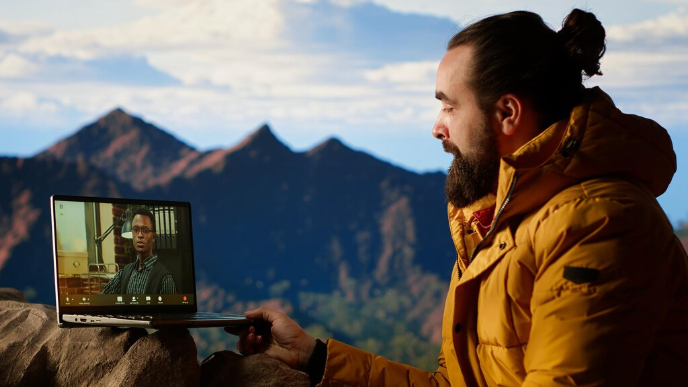
When planning a trip to northern Wisconsin, a bayfield webcam can be a useful way to get a real-time feel for local conditions before heading out. Live camera views can show weather, waterfront activity, road conditions, seasonal scenery, and changes around popular areas. For travelers considering a visit to Bayfield, Wisconsin, these visual updates can be especially helpful because conditions near Lake Superior can change quickly.
Whether you are planning a summer getaway, checking winter conditions, looking at the harbor before a ferry trip, or simply enjoying the scenery from home, webcams offer a convenient window into the area. They can complement weather forecasts and travel information by showing what is actually happening at a particular location.
Why Bayfield Webcam Views Are Useful
Bayfield is known for its waterfront setting, historic character, nearby islands, and outdoor recreation. Because the community sits along Lake Superior, local conditions can be very different from what a general regional forecast suggests.
A live camera can provide information that a written forecast cannot always communicate.
For example, you may be able to see:
- Current visibility
- Cloud cover
- Snow accumulation
- Waterfront conditions
- Road activity
- Harbor activity
- Seasonal scenery
- Sunrise or sunset conditions
- General crowd levels
- Changes in lake conditions
These visual details can help visitors make better decisions about clothing, activities, driving, photography, and sightseeing.
What You Can See From a Bayfield Area Camera
The usefulness of a webcam depends heavily on where the camera is positioned. A waterfront camera provides a different perspective from one overlooking a downtown street or nearby outdoor attraction.
Waterfront Views
Waterfront cameras are particularly interesting because Lake Superior is one of the defining features of the area.
Depending on the camera location, viewers may see boats, docks, shoreline activity, changing weather, or expansive views across the water.
During calm weather, the lake may appear remarkably peaceful. During windy conditions, waves can create an entirely different scene.
Downtown and Street Views
A camera facing a downtown area can help travelers understand how busy the community is at a particular time.
This may be useful during popular travel periods when visitors want to get a sense of activity before arriving.
Street-facing cameras can also provide a general indication of seasonal conditions, especially during winter.
Harbor and Marina Views
Harbor cameras can be especially interesting for boating enthusiasts and travelers planning waterfront activities.
A live view may help you see whether boats are active, whether conditions appear calm, and how the harbor looks during different seasons.
However, a webcam should not replace official marine forecasts when making safety decisions on the water.
Using Live Cameras to Check Weather Conditions
One of the most practical reasons to view a local camera is to compare visual conditions with the forecast.
Weather forecasts provide valuable information such as temperature, precipitation probability, wind, and expected conditions. A camera adds visual context.
For example, a forecast may indicate cloudy weather, but a camera could show whether visibility is clear enough for scenic photography.
What to Look For
When checking a live view, pay attention to:
- Visibility: Look toward distant objects to determine how clear the atmosphere appears.
- Cloud cover: Notice whether clouds are light, heavy, or breaking apart.
- Precipitation: Rain or snow may be visible even when conditions are difficult to interpret from a forecast.
- Surface conditions: Roads, sidewalks, docks, and other visible surfaces can provide clues about recent weather.
- Wind effects: Trees, flags, water, and waves may provide visual indications of wind.
Remember that a camera only shows conditions at its specific location. Weather can vary considerably within a relatively short distance.
Seasonal Views Around Bayfield
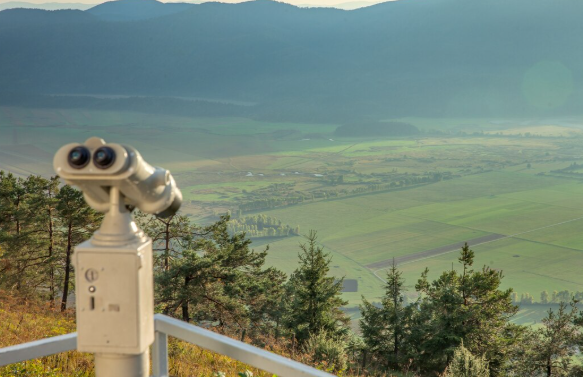
One of the most appealing aspects of webcams is the ability to see how the area changes throughout the year.
Spring
Spring brings gradual changes after the colder months. Snow and ice may begin disappearing, while trees and surrounding landscapes slowly become greener.
Early spring can still bring chilly temperatures, so visitors should avoid assuming that warmer weather has arrived simply because snow is disappearing.
Summer
Summer is one of the most visually active seasons. Waterfront areas can become busy with boats, visitors, outdoor activities, and sightseeing.
Live views can be particularly useful for people planning summer trips because they can provide a glimpse of current activity and weather.
Fall
Autumn can create some of the most scenic views in northern Wisconsin.
Changing foliage, cooler weather, and dramatic skies can make waterfront cameras especially enjoyable during this period.
If you are planning a fall photography trip, checking a live camera can help you see whether the landscape is beginning to change.
Winter
Winter offers a completely different perspective.
Snow, ice, frozen waterfront areas, and shorter daylight hours can transform the appearance of Bayfield. A camera can be useful for travelers deciding whether current conditions are appropriate for winter activities.
However, visible snow or ice should never be interpreted as confirmation that a particular route, trail, or frozen body of water is safe.
Webcams and Trip Planning
A live camera can become a useful part of a larger travel-planning routine.
Instead of relying on a single source, combine the camera view with weather information, transportation updates, attraction schedules, and official local information.
Before Leaving Home
Check the camera shortly before departure to get a visual impression of current conditions.
You might notice that:
- Snow is heavier than expected.
- Visibility is reduced.
- The waterfront is particularly windy.
- Conditions look clear and comfortable.
- The area appears busier than usual.
This information can help you make small adjustments to your plans.
Before Outdoor Activities
If you are planning photography, sightseeing, hiking, boating, or other outdoor activities, a live camera can help you understand the general environment.
For activities affected by safety conditions, always consult the appropriate official forecast or advisory in addition to viewing the camera.
How Webcams Compare With Weather Forecasts
A webcam and a weather forecast serve different purposes.
| Information Source | What It Shows | Best Use |
|---|---|---|
| Webcam | Current visual conditions | Seeing what the area looks like |
| Weather forecast | Expected future conditions | Planning ahead |
| Radar | Precipitation movement | Tracking rain or snow |
| Marine forecast | Water and wind conditions | Boating decisions |
| Road information | Travel conditions | Driving preparation |
The strongest approach is to use these sources together rather than relying on a single one.
Photography and Scenic Viewing
Webcams are not only practical tools. They can also be enjoyable for people who simply love scenic destinations.
Finding Interesting Conditions
Photographers can use live views to observe changing skies, snowfall, lake conditions, and seasonal landscapes.
For example, a cloudy day may produce a dramatic atmosphere over Lake Superior, while clear weather can provide expansive views.
Sunrise and Sunset
A camera can also provide a quick way to see whether clouds are present around sunrise or sunset.
This can help photographers decide whether it is worth heading outside for a particular shot.
However, camera exposure and image processing can make conditions appear slightly different from what the human eye would see.
What Makes a Good Webcam?
Not all webcams provide the same quality of information.
When evaluating a camera, consider several characteristics.
Camera Position
A useful camera should have a meaningful view rather than pointing toward an obstructed wall or small area.
A broad waterfront, street, harbor, or landscape view can provide more useful information.
Image Quality
Higher-resolution images make it easier to identify weather and environmental conditions.
A clear picture is especially valuable when viewing distant scenery.
Update Frequency
Some cameras provide continuously changing video, while others update images periodically.
More frequent updates are generally better when you need current information.
Reliability
A camera that frequently goes offline is less useful for trip planning.
It is worth checking whether the camera is normally available before depending on it.
Practical Tips for Using Webcams
To get the most value from local camera views, keep the following tips in mind:
- Check the camera more than once if conditions are changing.
- Compare what you see with an official weather forecast.
- Look at multiple camera locations when available.
- Remember that a camera represents one specific location.
- Check the timestamp when available.
- Do not rely on a webcam alone for safety decisions.
- Use official transportation information for road conditions.
- Use official marine information before boating.
- Consider seasonal daylight when interpreting images.
- Expect weather around Lake Superior to change quickly.
Common Mistakes When Checking a Webcam
A webcam is helpful, but it can be misleading if interpreted incorrectly.
Assuming One Camera Represents the Entire Area
A camera showing clear conditions does not necessarily mean every nearby road or trail is clear.
Weather can vary significantly across the region.
Ignoring the Camera’s Timestamp
Some cameras display images that are updated periodically rather than continuously.
Always check whether the image is current.
Treating a Visual Impression as a Safety Report
A camera may show calm water, but conditions can change quickly. Similarly, a clear road in one image does not guarantee that all roads are safe.
For safety-sensitive activities, official information should take priority.
Planning a Better Visit
A webcam can be one small part of a comprehensive travel checklist.
Before visiting Bayfield, consider the following:
Check Weather
Look at the current forecast and expected conditions for the entire period of your visit.
Review Transportation
If you are driving, check current road conditions when winter weather or storms are possible.
Plan Outdoor Activities
Consider whether the expected weather is suitable for hiking, boating, sightseeing, photography, or other activities.
Check Local Schedules
Seasonal attractions and transportation services may operate on different schedules throughout the year.
Pack for Changing Conditions
Lake Superior’s influence means visitors should be prepared for changing temperatures and wind, particularly during transitional seasons.
Key Points to Remember
A webcam can be a surprisingly useful travel-planning resource, especially for a destination influenced by changing weather and waterfront conditions.
- Live views provide visual context that forecasts cannot provide.
- Waterfront cameras can show lake and harbor activity.
- Seasonal changes are easy to observe through recurring camera views.
- A camera can help travelers prepare clothing and activities.
- Always check the timestamp when available.
- One camera cannot represent conditions throughout an entire region.
- Weather forecasts should be used alongside webcam observations.
- Safety decisions should rely on official advisories and forecasts.
- Webcams can also be useful for photography and scenic viewing.
- Winter conditions require particular attention to official travel and safety information.
Final Thoughts
Live cameras provide an easy and engaging way to see what is happening around a destination before you visit. For Bayfield, they can be particularly valuable because the community’s waterfront setting and northern climate create noticeable seasonal and weather-related changes.
Whether you are preparing for a road trip, checking winter conditions, planning a photography outing, or simply enjoying views of Lake Superior from home, a local webcam can offer useful visual information. The best results come from combining camera views with reliable forecasts, transportation updates, and official local information.
Used this way, webcams are more than a source of attractive scenery. They can become a practical part of travel preparation, helping visitors develop a better understanding of current conditions before making plans.
Frequently Asked Questions
1. What can I see on a Bayfield-area webcam?
Depending on the camera location, you may see waterfront scenery, boats, harbor activity, streets, weather conditions, seasonal landscapes, and surrounding areas.
2. Are webcams useful for planning a trip?
Yes. They can provide a real-time visual impression of weather, activity, and scenery. They work best when combined with forecasts and official travel information.
3. Can a webcam show accurate weather conditions?
It can show what conditions look like at the camera’s location, but it does not replace an official weather forecast. Visibility and weather can also vary across the surrounding area.
4. Are webcams useful during winter?
Yes. Winter camera views can help travelers see snow and general outdoor conditions. However, official road, weather, and safety information should always be consulted before traveling.
5. Can I use webcam views for photography planning?
Absolutely. Live views can help photographers observe cloud cover, seasonal scenery, lake conditions, and changing light before heading out to take photographs.